
All you need to start using the API
Prerequisites of using the API
You can test the DigiTax API before reaching out to usWe've designed the developer experience to be Hands-off. Meaning you can get started with your first API call without engaging with our team. Should you need our support or want to onboard your business to LIVE, reach out to us.
The following are the steps to creating a sandbox business and getting an X-API-Key (for testing before you go LIVE):
- Sign up on DigiTax
- Create a profile.
- Create a test/sandbox business.
- Generate an API Key under the "Integrations" tab. See screenshots below.
- Use the copied API Key as X-API-Key in your header when making API calls through the interactive API docs, your local environment or directly in your system integration.
See screenshots below.
Generate an API Key
In a test/sandbox or LIVE business,
-
Navigate to the "Integrations" menu tab
-
Select "Add API KEY"
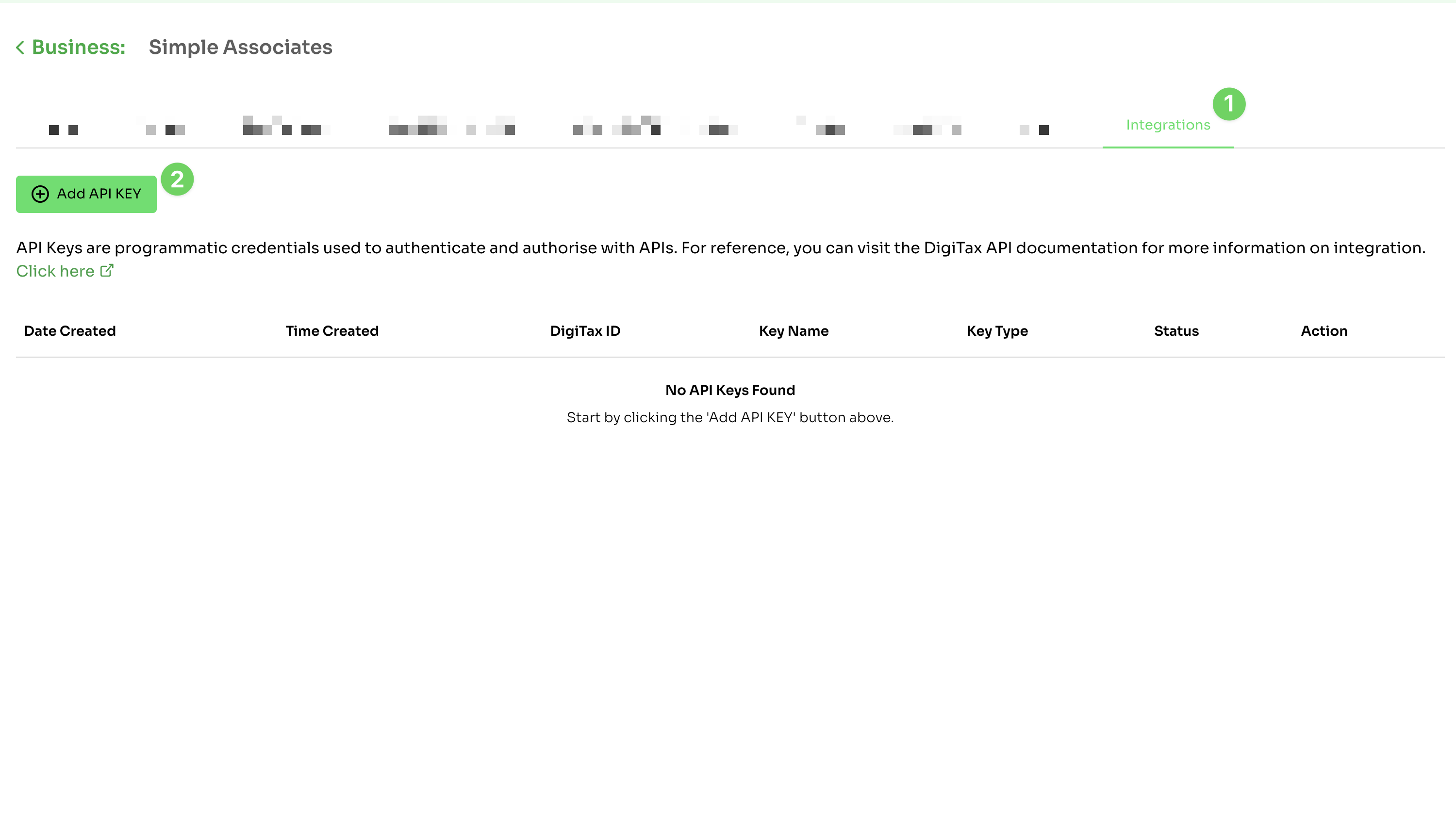
Integrations module
-
Enter a name and select "API Key"
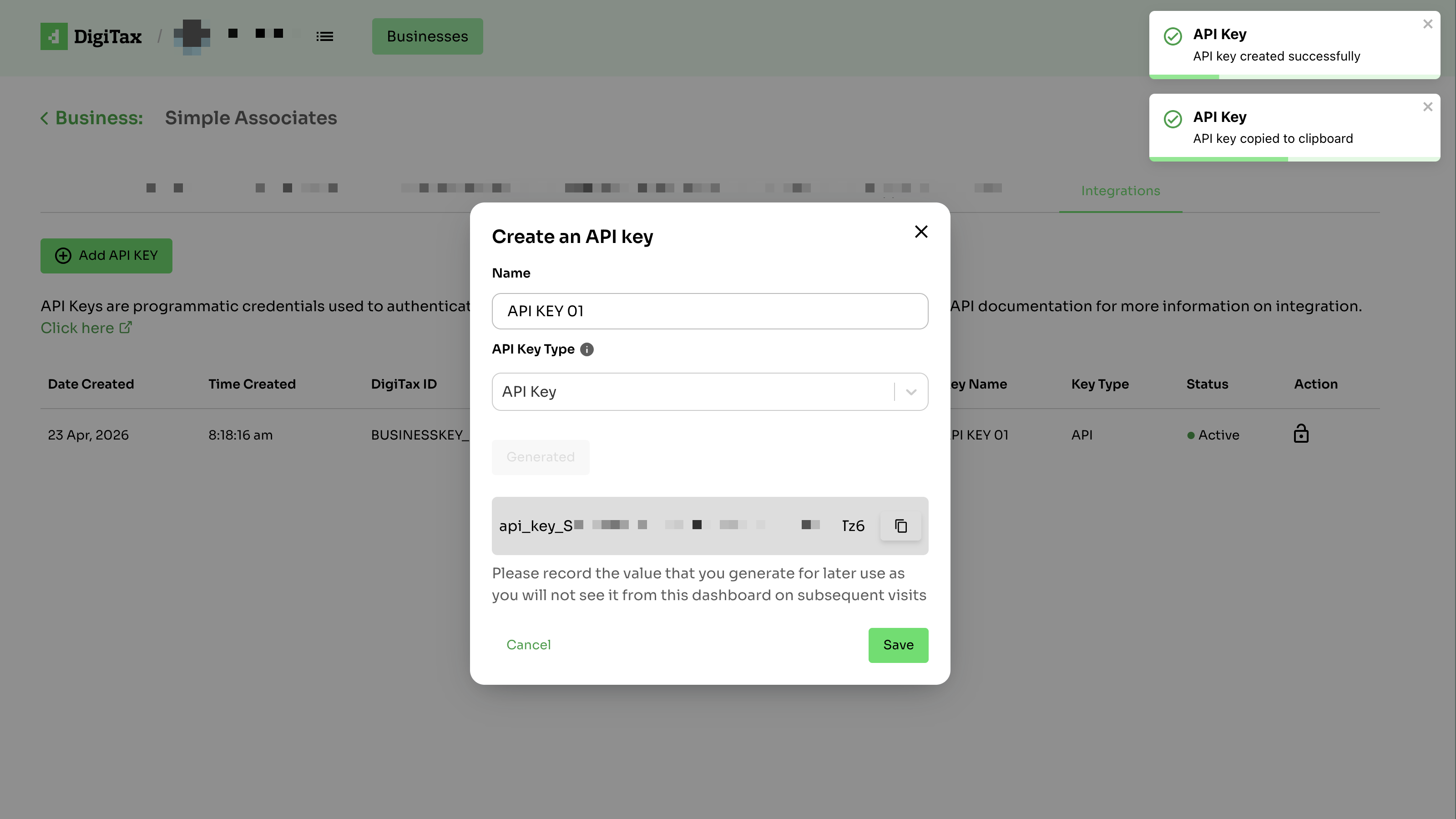
Create API Key
Please record the value that you generate for later use, as you will not see it from the dashboard on subsequent visits. Save it securely.
License Key
In step 3 above, under API Type, we have two options:
- API Key - Stick with 'API Key' for standard integrations.
- License Key - Use 'License Key' only if directed by the support team. Its use is restricted to specific systems.
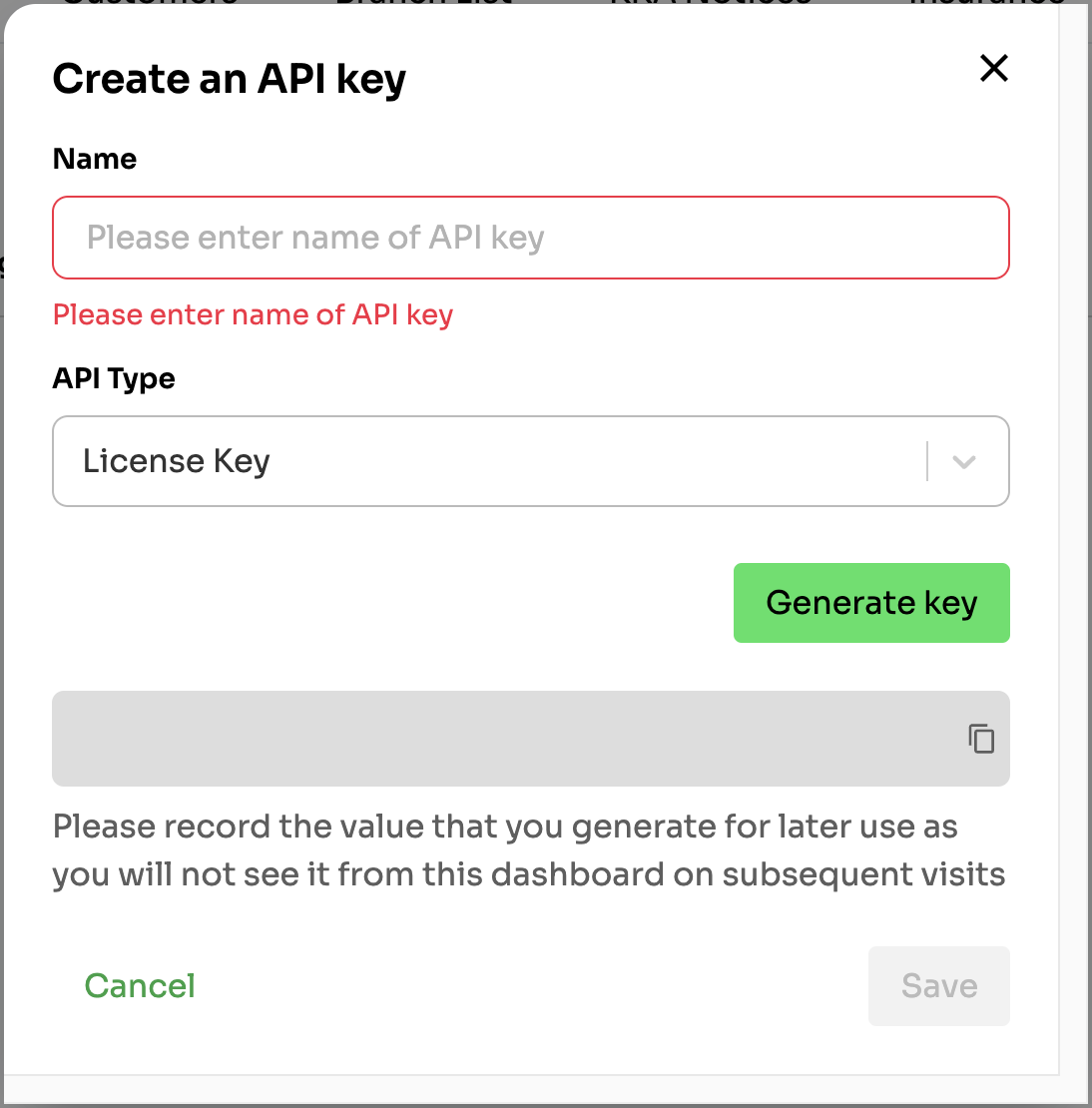
Use the API Key
Once you've generated the API Key you can use it directly via our interactive API reference, on your local environment, or directly in your system integration.
Below is an example of a request made on our interactive API reference.
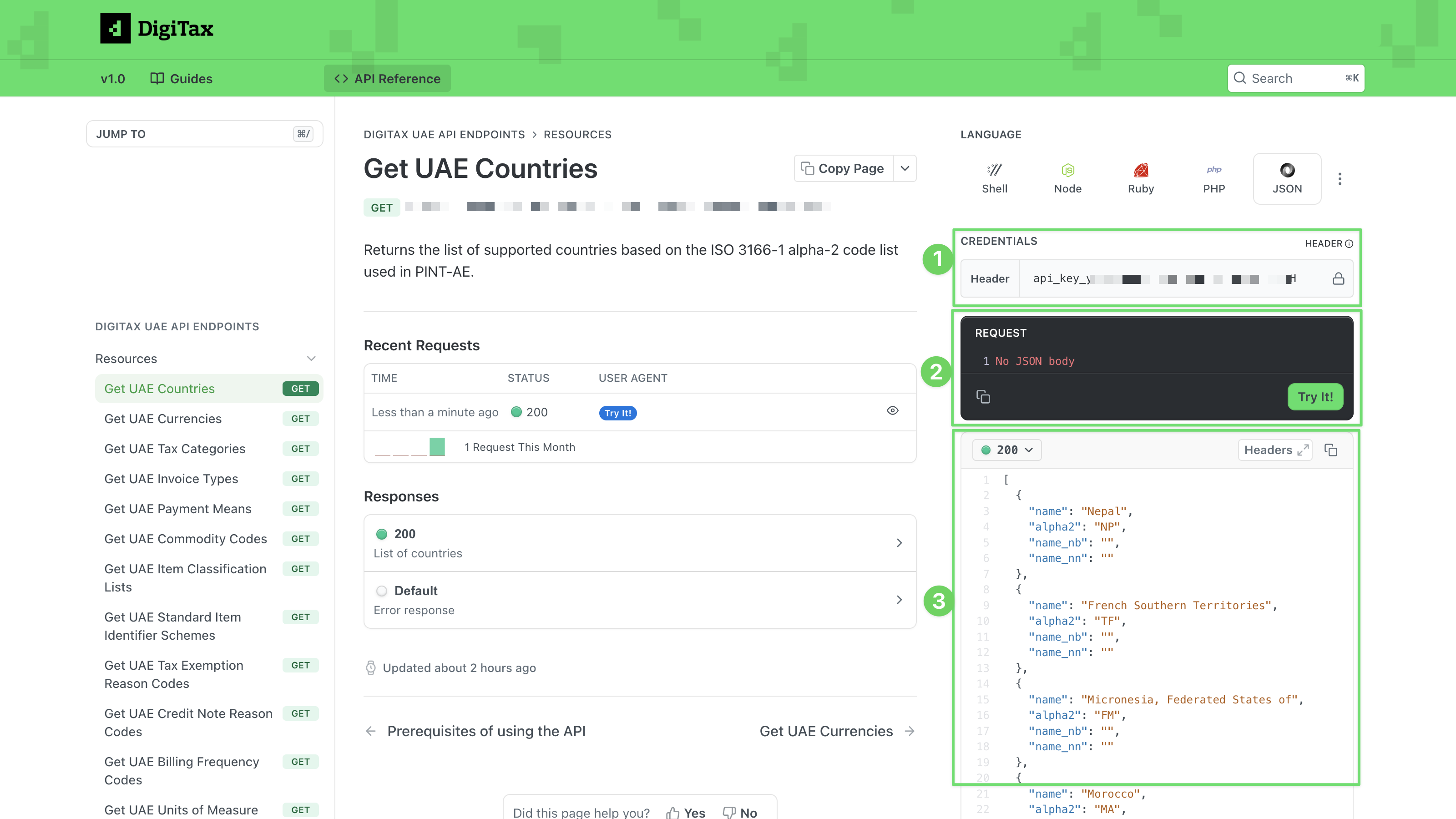
Successful API request
Steps:
- Add your API Key in this field to include it in the header
- Click "Try it!" to make a request.
- View API response