
Create an item
An item is a prerequisite of an invoice
An FTA e-invoice
To recap, even though an FTA e-invoice has several variations of invoice fields, it mainly contains:
- a single party
- item (at least one)
In this guide, we'll walk through creating an item.
Creating an item for an FTA e-invoice
An item represents a product or service that you sell. Creating items beforehand simplifies invoice creation by making them reusable across multiple invoices.
To create an FTA e-invoice item, you need the following details:
Review item attributes here
- Item name (
name): Product or service title - Tax category (
tax_category_code): e.g.,S(Standard rate),Z(Zero-rated),E(Exempt),O(Out of scope),AE(Reverse charge), orN(Standard rate additional VAT / Margin Scheme) - Commodity code (
commodity_code):G(Goods),S(Services), orB(Both) - HS code (
hs_code): Applicable if the item's commodity code is for a good (GorB) - Service accounting code (
service_accounting_code): Applicable if the item's commodity code is for a service (SorB) - Item code (
sellers_item_id/buyers_item_id) (optional) - Origin country (
origin_country_code) (optional) - Standard item scheme (
standard_item_id/standard_item_scheme_id) (optional) - Description (
description)
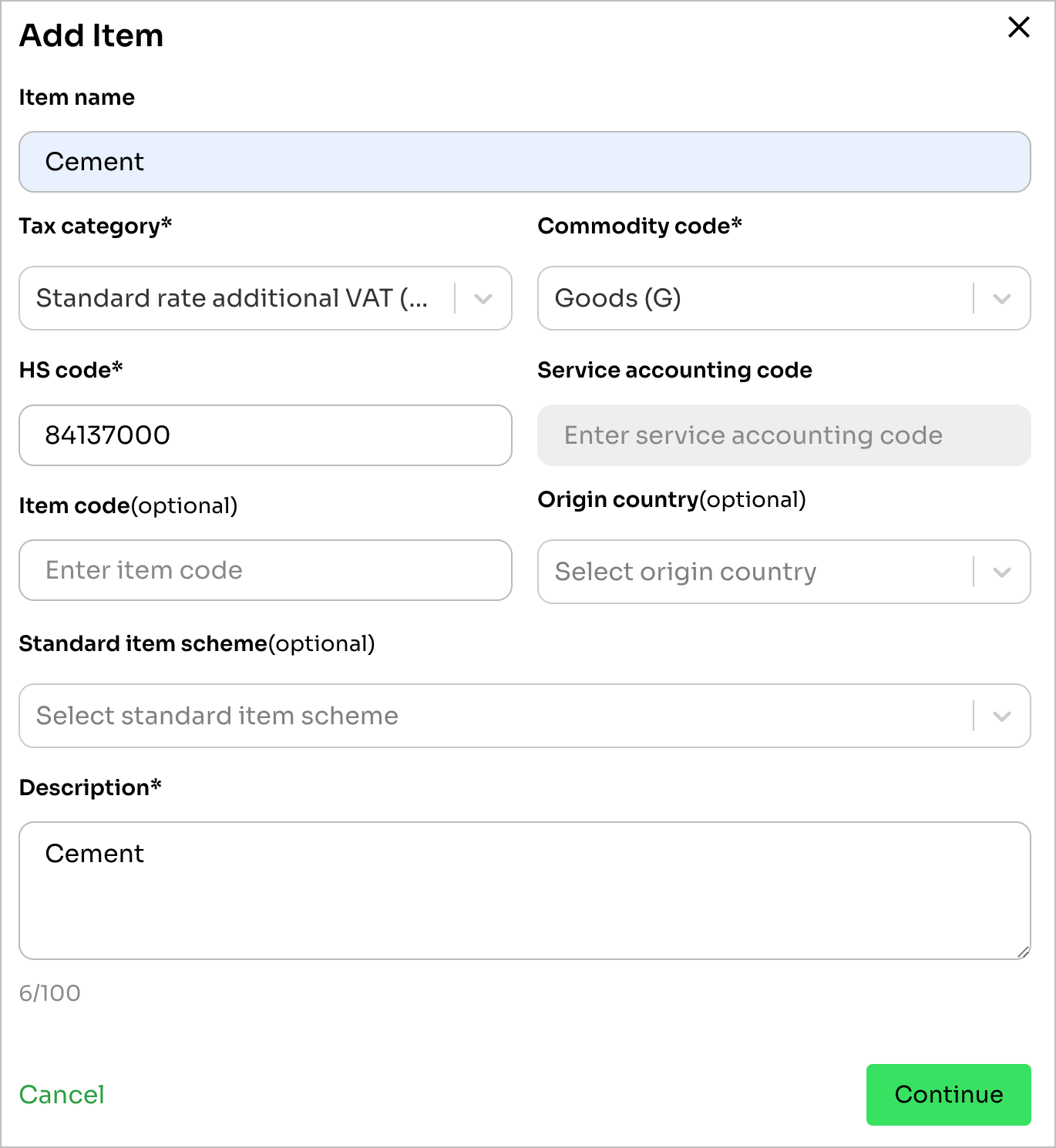
The screenshot below from the dashboard succinctly shows the details required when creating a simple item (Cement).
On the API, submitting POST /items returns the created item:
{
  "id": "item_01KS4RJY95WJR4BAJYS84CDFQ2",
  "created_at": "2026-05-21T07:56:46Z",
  "updated_at": "2026-05-21T07:56:46Z",
  "active": true,
  "name": "Cement",
  "description": "Portland Cement (50kg Bag)",
  "item_number": "ITM26-141-075646757-47VTNB",
  "commodity_code": "G",
  "hs_code": "25232900",
  "tax_category_code": "S",
  "item_properties": []
}
Note on Item UpdatesItems are created via
POST /itemsand retrieved viaGET /itemsorGET /items/{item_id}. Once items are referenced in issued invoices, their fiscal details remain immutable to preserve audit integrity.
Updated about 1 month ago